
Is your laptop running slow, overheating, not charging, or refusing to turn on? A laptop problem can interrupt work, studies and important business activities. If you are looking for laptop repair in Mumbra, understanding the common causes can help you decide whether you need a simple software fix, hardware replacement or professional diagnosis.
In this guide, we explain common laptop problems, things you can safely check yourself, and when it is better to contact a professional laptop repair technician.
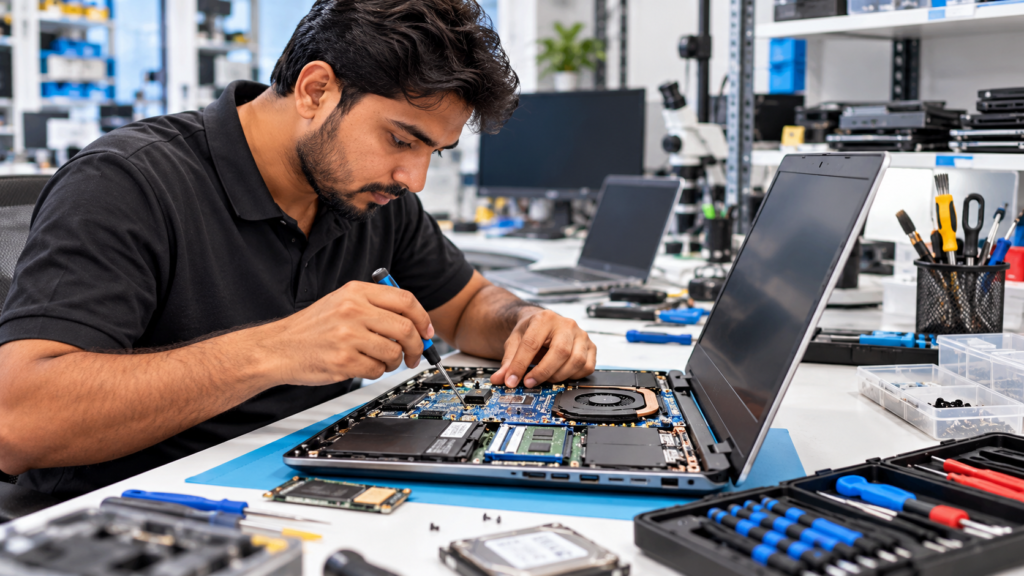
A slow laptop does not always mean that the laptop is damaged. Performance can decrease because of several different reasons.
If your laptop still uses an HDD, upgrading to an SSD can often make a noticeable difference in everyday performance. Before upgrading, the laptop specifications and existing storage should be checked.
If your laptop becomes unusually hot while working, the cooling system may need attention.
For example, common causes include:
Continuous overheating should not be ignored because excessive heat can cause slow performance, unexpected shutdowns and other hardware problems.
First, if your laptop does not power on, you can check a few basic things:
However, if there is no response even with a known-good charger, the problem may involve the charging circuit, power section, motherboard or another hardware component.
In such cases, contact a professional technician instead of repeatedly trying to power on the laptop.
Laptop batteries naturally lose capacity over time. If your battery suddenly drops from a high percentage to a very low percentage, shuts down unexpectedly or lasts only a short time, the battery may need testing.
However, fast battery drain can also be caused by:
A proper diagnosis can help determine whether the battery actually needs replacement.
A laptop display problem may appear as:
Before replacing the screen, the display panel, display cable, connector and related hardware should be checked. Replacing the wrong component can unnecessarily increase the repair cost.
Keyboard problems can be caused by physical damage, liquid exposure, dust, loose connections or keyboard failure.
A touchpad may stop responding because of driver problems, Windows settings, physical damage or hardware failure.
The actual cause should be identified before replacing the complete keyboard or touchpad assembly.
If the battery percentage does not increase even when the charger is connected, possible causes include:
Do not assume that the battery is always the problem. Proper diagnosis can help avoid unnecessary replacement costs.
Storage problems can cause very slow booting, Windows freezing, file errors, unexpected crashes, data corruption or a “No Boot Device” error.
If you suspect that your hard disk is failing, take a backup of important data as soon as possible.
Continuing to use a failing storage drive can increase the risk of data loss.
You should get a professional diagnosis when:
For motherboard or chip-level problems, opening the laptop without the appropriate equipment and experience can make the damage worse.
Not every laptop problem means that you need to buy a new laptop.
Repair may be a practical option when:
If the repair cost is very high compared with the laptop’s current value, you may want to buy a replacement.
A proper inspection can help you make an informed decision instead of replacing a laptop unnecessarily.
Keep a backup of important documents, photos, business files and other data whenever possible.
Take a few photos of the laptop before submitting it for repair. This can help document its physical condition.
If possible, sign out of sensitive accounts and remove any confidential information you do not need to share for the repair.
Understand what is actually wrong before approving an expensive repair.
When a technician replaces a component, ask which part they are changing and request the old part when appropriate.
If you are searching for laptop repair in Mumbra, Hasba IT Solutions provides computer, laptop and IT-related services for home users and businesses.
Depending on the problem, professional diagnosis can help identify issues related to laptop hardware, software, storage, display, charging, motherboard and other components.
The goal should always be to identify the actual fault first and then choose the most practical repair option.
Contact Hasba IT Solutions and share your laptop model and the problem you are facing.
We can help you understand the issue and determine whether your laptop needs servicing, repair, upgrade or further diagnosis.
Hasba IT Solutions
IT Support | Computer & Laptop Services | CCTV & Networking Solutions
Need assistance? Contact Hasba IT Solutions through the website or WhatsApp and share your laptop model and problem.
Laptop repair cost depends on the actual problem and the component involved. Screen, battery, keyboard, SSD, charging and motherboard repairs can all have different costs. A proper diagnosis is recommended before confirming the repair.
Simple software or component-related repairs may be completed quickly, while motherboard-level repairs or parts that need to be sourced can take longer.
It depends on the laptop’s age, specifications, condition and estimated repair cost. An SSD or RAM upgrade can sometimes significantly improve the performance of an older laptop.
Some motherboard faults can be repaired at component or board level, depending on the type and extent of damage. Proper diagnosis is required before determining whether repair is practical.
Not necessarily. The problem could be related to an HDD, insufficient RAM, startup programs, Windows issues, overheating or other factors. Diagnosis should come before replacing the laptop.
You can contact Hasba IT Solutions for assistance with laptop and computer-related service requirements in and around Mumbra.
Comments (No Responses )
No comments yet.